

Mib2 Apple CarPlay / Android Auto and lifetime map license Script activator.
£89.99
Description
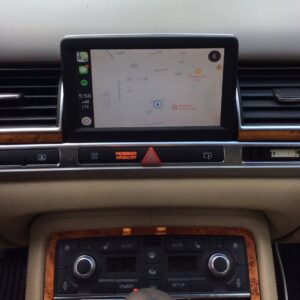
You can use this script to enable Apple CarPlay and Android Auto in Mib2 systems. further adding a lifetime map license.
Very easy and safe to use. Please check the supported software versions as not every Mib2 system can be patched by our script.
Supported systems:
- MHI2_
- MHI2Q_
Don’t know which one you have? Please take a look on this manual (click).
Supported areas:
- Europe
- RoW (please contact us after purchase with your firmware version, as we need manually modify script to your system!)
- USA
- Japan
- China
- Taiwan
Supported software versions
Supported software versions
The script only supports certain firmware. You must upgrade first if you don’t have that firmware.
- MHI2Q_CN_AUG22_K1004_MU1003
- MHI2Q_CN_AUG22_P0915_MU0915
- MHI2Q_CN_AUG22_P1002_MU1002
- MHI2Q_ER_AUG22_P3638_MU0916
- MHI2Q_ER_AUG22_P3638_MU0917
- MHI2Q_ER_AUG22_P4170_MU1117
- MHI2Q_ER_AUG22_P4212_MU1177
- MHI2Q_ER_AUG22_P5092_MU1329
- MHI2Q_ER_AUG22_P5152_MU1329
- MHI2Q_JP_AUG22_P1017_MU1017
- MHI2Q_KR_AUG22_P1018_MU1018
- MHI2Q_US_AUG22_P4171_MU1118
- MHI2Q_US_AUG22_P4213_MU1178
- MHI2Q_US_AUG22_P4246_MU1320
- MHI2Q_US_AUG22_P5087_MU1316
- MHI2_CN_AU276_P1214_MU1214
- MHI2_CN_AU276_P1215_MU1215
- MHI2_CN_AU57x_K1006_MU1005
- MHI2_CN_AU57x_P0623_MU0623
- MHI2_CN_AU57x_S0037_1_MU0037
- MHI2_CN_AUG22_K0730_MU0729
- MHI2_CN_AUG22_P0618_MU0618
- MHI2_CN_AUG22_S0038_MU0038
- MHI2_CN_AUG22_S0039_MU0039
- MHI2_ER_AU276_P5088_MU1325
- MHI2_ER_AU276_P5502_MU1460
- MHI2_ER_AU276_P5506_MU1466
- MHI2_ER_AU276_P5509_MU1474
- MHI2_ER_AU276_P5510_MU1477
- MHI2_ER_AU276_P5515_MU1488
- MHI2_ER_AU37x_P3620_MU0875
- MHI2_ER_AU37x_P4159_MU1106
- MHI2_ER_AU37x_P4203_MU1168
- MHI2_ER_AU37x_P5089_MU1326
- MHI2_ER_AU37x_P5153_MU1326
- MHI2_ER_AU43x_P5098_MU1339
- MHI2_ER_AU43x_P5151_MU1339
- MHI2_ER_AU43x_P5404_MU1479
- MHI2_ER_AU43x_P5406_MU1489
- MHI2_ER_AU57x_K2589_MU1429
- MHI2_ER_AU57x_K3663_MU1425
- MHI2_ER_AU57x_P3236_MU0670
- MHI2_ER_AU57x_P3634_MU0910
- MHI2_ER_AU57x_S2519_MU0389
- MHI2_ER_AU62x_P5099_MU1340
- MHI2_ER_AUG22_K2161_MU1421
- MHI2_ER_AUG22_K3344_MU1438
- MHI2_ER_AUG22_K3346_MU1438
- MHI2_ER_AUG22_P3241_MU0678
- MHI2_ER_AUG22_S2148_MU0442
- MHI2_JP_AU43x_P0902_MU0902
- MHI2_JP_AU62x_P0701_MU0616
- MHI2_JP_AUG22_P0713_MU0713
- MHI2_KR_AU37x_P0901_MU0818
- MHI2_KR_AU57x_P0901_MU0615
- MHI2_KR_AU57x_S0035_MU0035
- MHI2_KR_AUG24_S0008_MU0008
- MHI2_TW_AU37x_P0901_MU0816
- MHI2_US_AU276_P5083_MU1312
- MHI2_US_AU37x_K5512_1_MU1484
- MHI2_US_AU37x_P5107_MU1363
- MHI2_US_AU43x_K1083_MU1412
- MHI2_US_AU43x_P5124_MU1389
- MHI2_US_AU43x_P5180_MU1462
- MHI2_US_AU57x_K3324_1_MU0925
- MHI2_US_AU57x_K3341_MU1426
- MHI2_US_AU62x_K2588_MU1407
- MHI2_US_AU62x_P5125_MU1390
- MHI2_US_AU62x_P5181_MU1463
- MHI2_US_AUG22_K3345_MU1439
- MHI2_US_AUG22_K3347_MU1439
Delivery
This is digital product, which you need to download and prepare your own SD CARD.
After clear payment you will receive download link on to your email box.
If you haven’t please check SPAM folder. You can also log in to your account on My Account and go to Orders and select your order.
Download links will be there as well.
No physical product will be shipped.
You must be logged in to post a review.
Previous lowest price: £89.99 in last 30 days.
Reviews
There are no reviews yet.